A morning streak tracker with a weekly streak freeze
Rise adds a day to your streak each time you finish a focus session of at least 5 minutes, and a streak freeze lets you protect it on a day you cannot. This page covers how the count works, every option and the limits.
 Rise is an iPhone appPoint your iPhone camera at the code to install it.
or text me the link
What streak tracking does
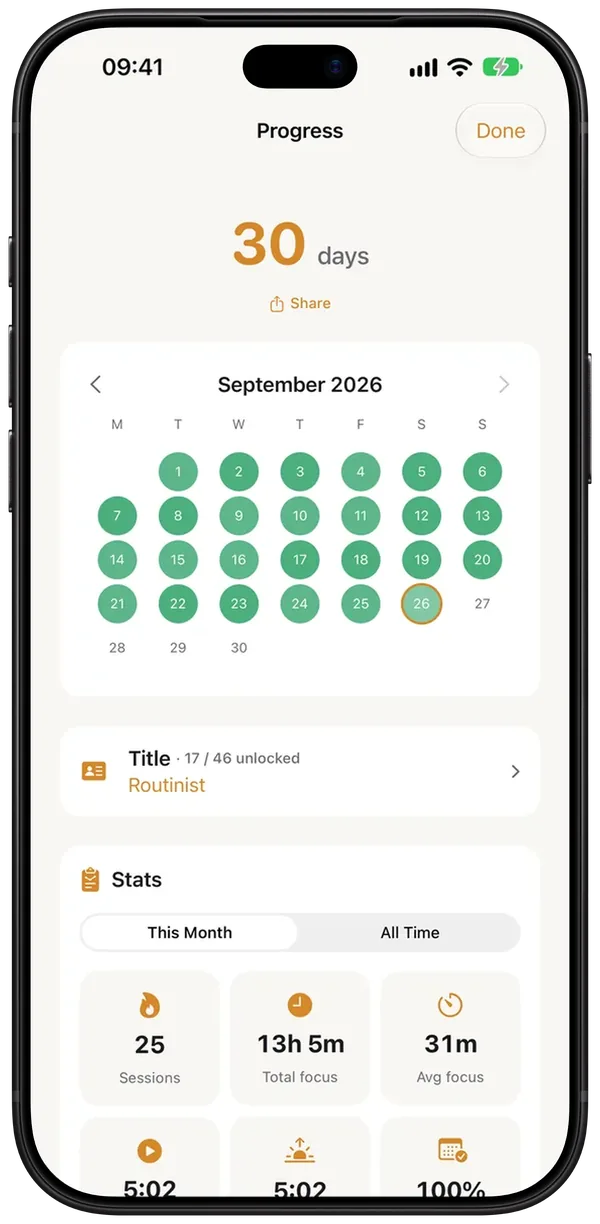
Rise counts consecutive days on which you finished a focus session of 5 minutes or longer. The number sits on the Home screen, a calendar on the Progress screen shows every day you did it, and a streak freeze (Pro) lets you protect the run on one day you cannot make it.
The built-in Clock app is a good alarm and does its job well. Its alarms ring on the days you choose, but it has no idea whether you got up and did anything afterwards, so there is no run of days to look at. Rise ties the count to what you did after the alarm, not to the alarm itself.
How it works in the app
- Let your alarm ring, stop it and start a focus session from the wake-up screen. The focus session can be 5 minutes or longer.
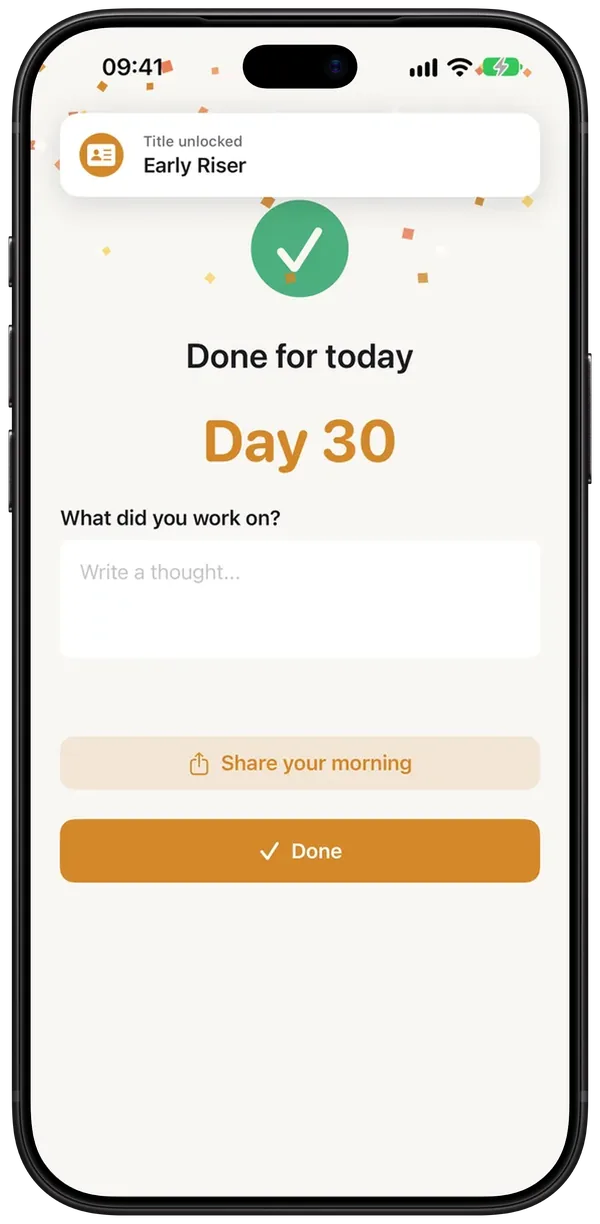
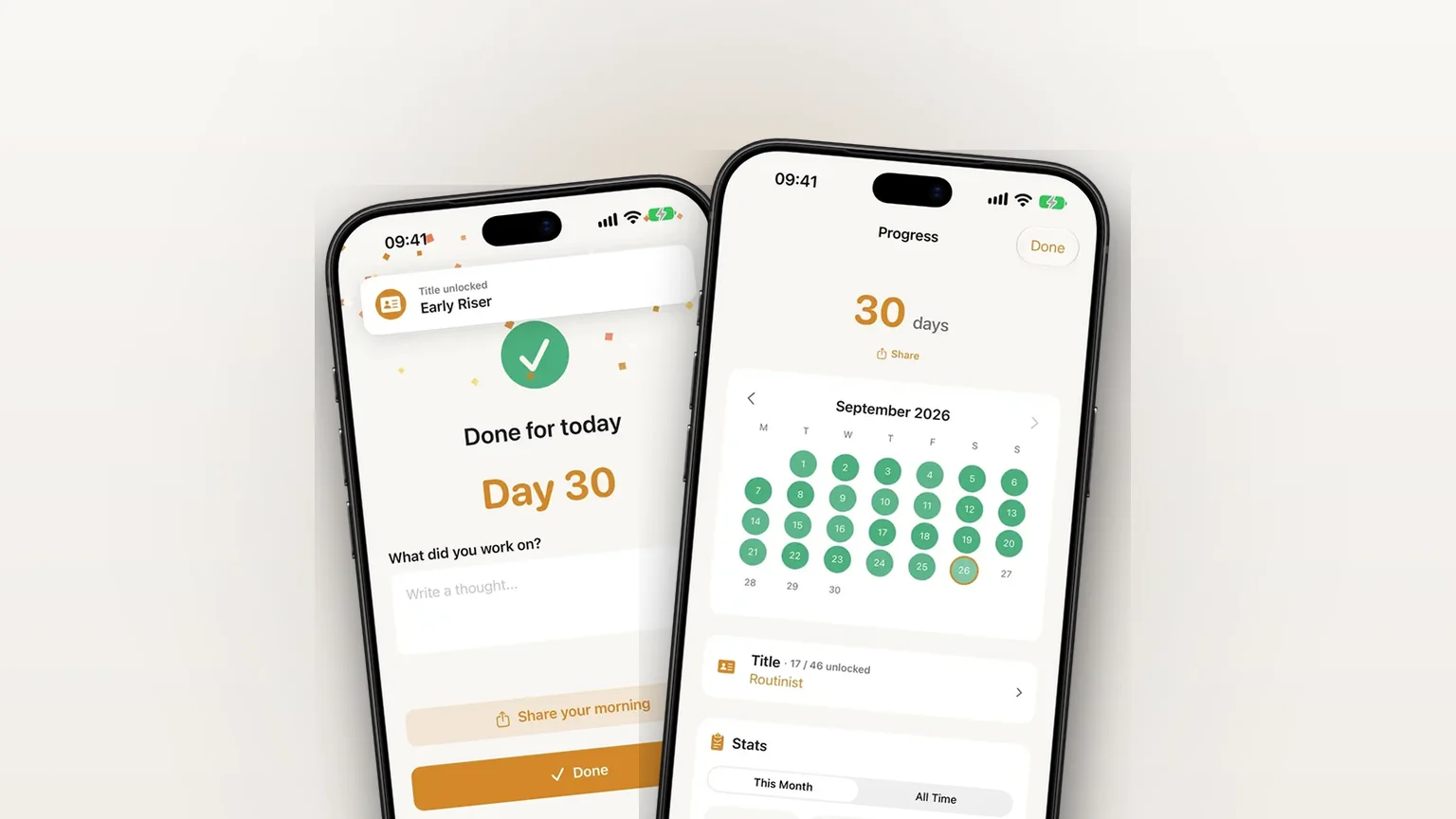
- Finish the timer. The completion screen shows Day 1 done. the first time, then Day N with your current number. A session shorter than 5 minutes shows Session ended early and does not count.
- Back on Home, the streak card at the bottom reads N day streak with dots for the current week. Tap it to open Progress.
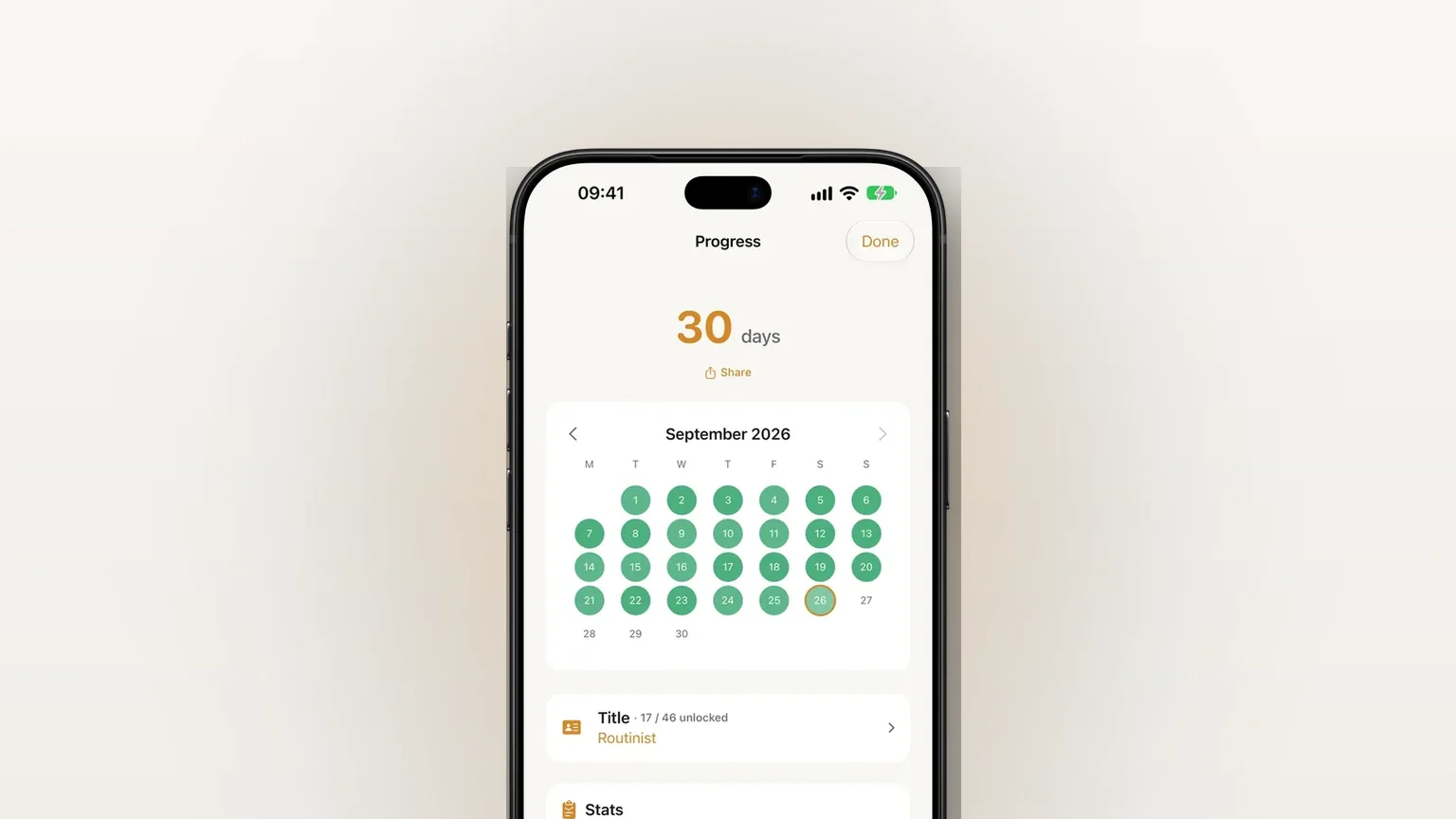
- On Progress, page through months with the arrows above the calendar. Tap the calendar to open the session history, which lists each session and each freeze day.
- To use a freeze, open Progress on a day you will not do a session and tap Use streak freeze. The day turns pale blue on the calendar and the streak holds.
The count runs through yesterday until you finish today's session, so it does not drop to zero at midnight. If yesterday has neither a finished session nor a freeze, the number is 0. A frozen day counts as a day in the number. The time of day does not matter: an afternoon session counts the same as a 5 AM one, and the completion screen then says Done for today instead of Morning complete.
If you close the app on a finished timer, Rise records the day the next time you open it.
Every part of it
| Part | What it does | Where | Needs Rise Pro |
|---|---|---|---|
| Streak count | Consecutive days with a finished session or a freeze, plus a line with your longest run once it passes the current one | Home card, Progress | Yes (kept for people who had Rise before 1.34) |
| Week dots | This week, in your locale's first weekday order | Home card | Same as the count |
| Calendar history | Month by month, full history; fill gets stronger for sessions of 10, 20 and 30+ minutes | Progress | Same as the count |
| Streak freeze | Protects today, once every 7 days | Progress | Yes |
| Stats | Sessions, total focus, average focus, average start and wake time, active days in the last 30, best day, earliest start, wind-down total; switch between This Month and All Time | Progress | Yes |
| Share card | An image of your streak and latest session | Progress, completion screen | Completion screen: no. Progress: same as the count |
| Streak widget | Small Home Screen widget with the number and recent days | Home Screen | No |
| Streak titles | Titles at 7, 14, 30, 60 and more days; the title shows on Progress | Progress, Title | Beginner free, rest Pro |
How the freeze behaves
You can use a freeze only on today, only while you have a streak above 0 and only if today is not already done. After you use one, the next is available once seven full days have passed. Until then Progress shows Streak freeze available in N days. A freeze is not tied to a calendar week, so using it on a Wednesday means the next one opens the following Wednesday. If you finish a session on a frozen day, the day becomes a normal completed day, and the freeze stays spent.
The freeze also shapes one notification. If Activity reminders are on in Settings, you have a streak and have not finished by 14:00 (later if your alarm's routine window runs past it), Rise sends You missed your morning. When a freeze is available the text says you can still protect your streak. Otherwise it says tomorrow is a fresh start.
Your streak records and freeze history are part of Rise's iCloud backup, so a restore brings them back.
When it is the right tool
You keep dropping routines in week two
A number you do not want to reset is a small, steady reason to start the timer. Read how to build a morning routine that sticks for the wider method.
You are ill or travelling for one day
Tap the freeze that morning. One missed day then does not erase weeks, and the freeze comes back a week later.
You want to see the pattern, not just the number
The calendar and the average wake and start times show whether your mornings drift later at the weekend. That is useful before you change your alarm.
You can only manage a short session
Five minutes counts. On a bad morning, do the short version and keep the chain.
You want a record of the run
The share card turns your streak and latest session into an image you can send to someone.
Limits
- A session is required. Stopping the alarm does not count. Only a session that ran 5 minutes or more records the day. Ending a longer timer early still counts once 5 minutes have passed.
- No backfilling. The freeze applies to today only. If you remember on the next day, it is too late, and the code has no way to freeze a past day.
- One freeze per seven days, with no way to bank or stack them.
- No undo. The freeze button has no undo, so decide before you tap it.
- Pro for most of it. In the current version the streak, Progress screen, freeze and stats need Pro. People who installed Rise before version 1.34 keep the streak and Progress screen, and the freeze and stats stay Pro. The alarm stays free.
- One streak. There is a single count for your morning routine. It does not track other habits, and it is not shared with other people.
- Home Screen only. The streak widget is a small Home Screen widget.
Frequently asked questions
What is a streak freeze?
A streak freeze protects your streak on a day you cannot do your session. In Rise you tap Use streak freeze on Progress that same day, and the day counts so the run does not break. It is a Pro feature, and the next one opens seven days after you use one.
How do I use a streak in an app like Rise?
Stop the alarm, start a focus session of at least 5 minutes and finish it. The completion screen shows your Day number, and the streak card on Home updates. Tap that card to see the calendar.
Can I freeze my streak after I already missed a day?
No. In Rise a freeze applies to today only, and it needs a streak above 0 and a day that is not already finished. If a day passes with neither a finished session nor a freeze, the streak shows 0.
Does the streak need a morning session or any time of day?
Any time of day counts. The session just has to run for 5 minutes or more. If it did not start in your morning window, the completion screen says Done for today rather than Morning complete.
Is there a morning habit tracker in Rise for more than one habit?
No. Rise tracks one thing, your morning focus session. You get a streak, a month calendar and stats such as total focus and average wake time, but no list of separate habits.
Sources
Start your first day
Get Rise on the App StoreMore features
Log your wake-up time and mindful minutes in Apple Health
Rise Pro saves your wake-up time and each finished focus session of 5 minutes or more to Apple Health as mindful minutes.
A morning focus session that starts when your alarm stops
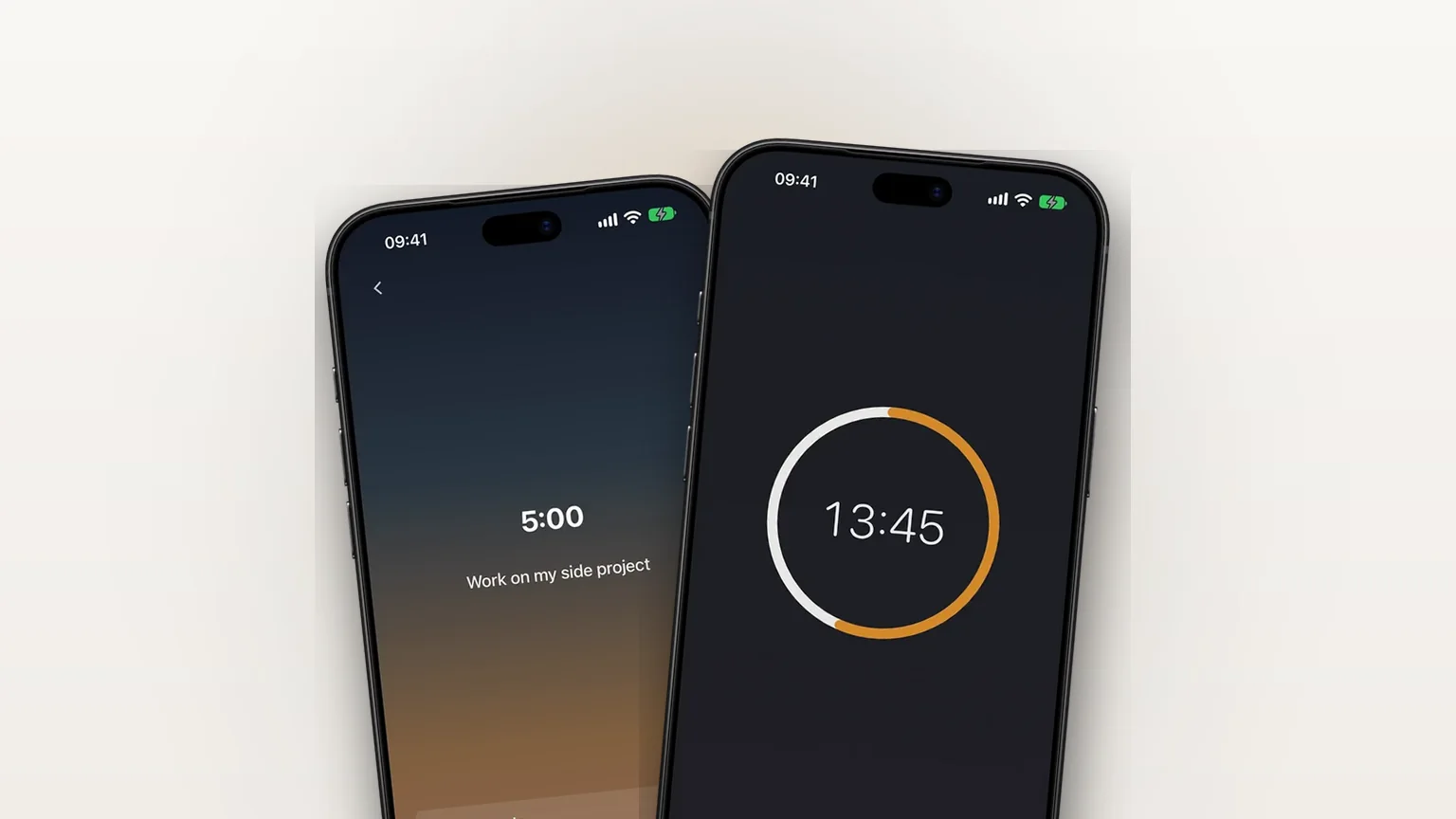
A focus timer that opens right after your alarm, 5 to 120 minutes in steps of 5, also available any time with Focus now.
iCloud backup for your settings, streak and journal
Your settings, streak and journal back up privately to your own iCloud, free, and restore in one tap on a new iPhone.